

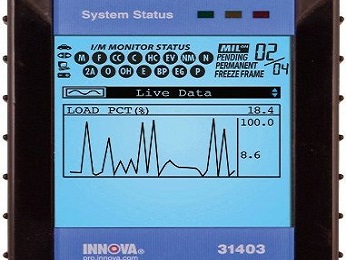
Basic scan tool operation for pulling check engine light codes is a procedure most automotive consumers can accomplish on their own.
Below are four important tips to follow on OBD II vehicles.This includes automobiles built from 1996 to present day.
After reading this short page you should be ready to use an automotive scan tool to perform your own basic diagnostic test and zero in on the problem your vehicle is experiencing. But first, how do you know there’s a problem requiring attention?
The MIL (Malfunction Indicator Lamp) better known as the service engine soon light comes on normally for a few seconds when the key is turned on. This is called a bulb test. Proper operation is confirmed at state inspections or smog testing facilities.
It will also be illuminated during engine cranking. However, this light should go off when the engine starts. The check engine light should not come back on unless the computer finds a problem worth reporting.
This quick self diagnostic test will happen every time you turn the key to the on position. When the light stays illuminated with the engine running this indicates a failure and a trouble code stored in memory.
Scan tool operation a quick sidebar: If you have a constant engine light illuminated and you don;t find a trouble code stored or if you receive a message on the scan tool that says no communication, this could indicate a problem with either the power to the computer or a ground malfunction.
The electronic control module has its own separate power and ground. If you do get this no communication message you do want to check the ECM fuse first, and next the main system grounds for opens or corrosion.
Basic Scan Tool Precautions
Scan tools are available to diagnose nearly all engine control systems. When test procedures are performed with scan tools observe these precautions.
1) Always follow the directions in the manual supplied with the car code reader or diagnostic tool.
2) Do not connect or disconnect any components or connectors with the ignition switch on.
3) Never short across or ground any terminals in the electronic systems unless a diagnostic chart or a repair diagram specifically recommends it.
4) If the computer system connectors are to be opened for testing make sure to turn off the ignition and disconnect your scanner before you carry out these operations to avoid voltage spike problems.
OBD II scanners extract generic codes and interface with the vehicle’s computer automatically. You plug it in with the key off and then turn the ignition to the run position without starting the engine.
The tool takes a few seconds to make the connection to the power train control module and then it starts showing data on the view screen.
Scan tool operation using older testers or dealership level equipment might be a little different. Most of these will ask you to input some data before it will interface with the vehicle.
Some hand held tools like the innova 31603 have a snapshot mode so do-it-yourself car mechanics can operate the vehicle and store information when problems occur. Important Note: Always have an assistant take the snapshots while driving so the driver can concentrate on the road.
Snapshot Mode to Find Intermittent Faults
When an intermittent problem occurs auto mechanics can drive the vehicle home and then review the captured sensor data and voltage readings in the testers memory.
During the playback of the scan tool data, the technician watches closely for a momentary change in the sensors readings. This can indicate a defective component or even a wiring problem to a particular sensor.
It works a lot like taking a series of snapshots with a camera and then reviewing the pictures later. Snapshots may be taken on most vehicles with a data line from the computer to the data Link connector.
This includes all vehicles from 1996 model year and up that have the OBD II diagnostics system. The snap shot mode is great for finding intermittent check engine light problems.
Most people I asked found using a scan tool simple. It can supply you with the diagnostic trouble codes that point to the malfunctioning systems.
This narrows down the diagnosis for the auto repair shop or even for people attempting to do their own repairs. In most cases, these codes are diagnosed with a good automotive scanner in conjunction with a quality car service and repair manual.
Give this how to use a scan tool page a bookmark or share with friends.
I have many more articles to give you a peek at successful check engine light repair and diagnosis. This next link takes you to the check engine light help page.
You can find out what else this car repair website covers on the homepage from this next link. Also learn why this auto mechanic thinks that many people can fix their own cars with some Diy auto repair help.